Help Center

Register And Manage Your Online Account

Need to know how to register your online MyFuelPortal account? Having trouble paying your bill online? Find answers and instructions here.

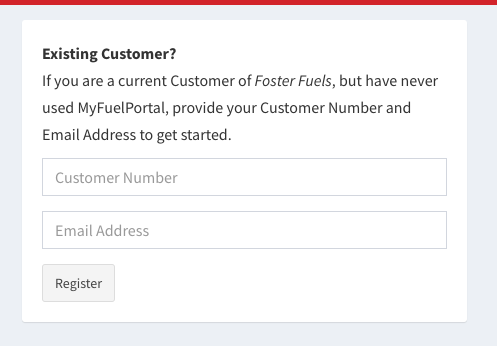
1) On the Log In Page, enter your customer number and email address and click register. You are now able to access your account online!
2) Follow Our Tutorial – You are now registered! Take a few minutes to learn everything about your online fuel portal! For any further questions, contact our team.
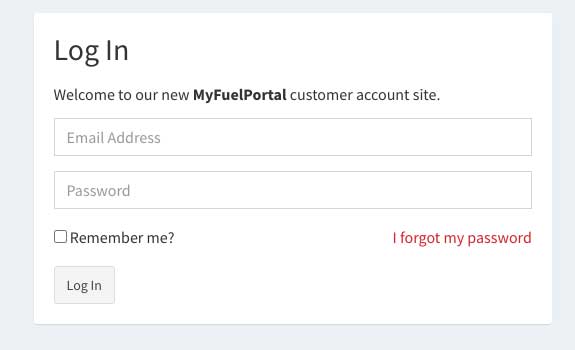
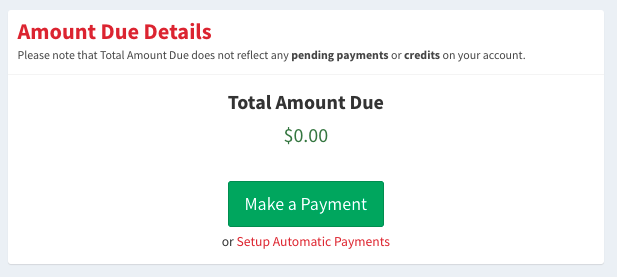
 

1) Visit the account login page to login. Enter your email address and password.

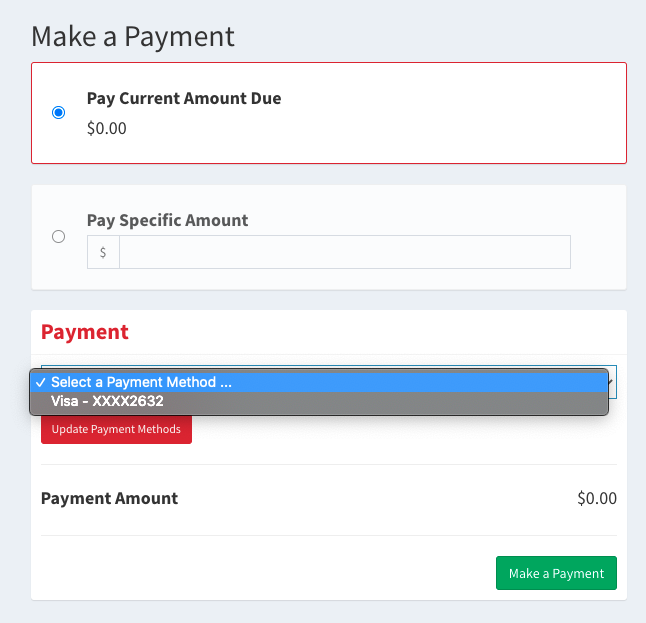
2) Click the green “Make a Payment” button.

3) Select your payment method, or click the “Update Payment Methods” button to add a new payment method.

4) Enter your payment amount and click the green “Make a Payment” button. Thats it!

My Account

Pay bills, order fuel easily with our app, and manage your account. And much more!

Log In
apps-content-mobile

Make fuel easy
with our app.

We’ve made getting the fuel you need easier. Just log in to the Foster Fuels app to order fuel and to access all aspects of your account, including invoices, delivery history, payments, work orders, and more. Just one more way we are providing exceptional customer service!